

Model scope & structure
The operational system modeled, the boundaries set, the entities included, and the logic governing their behavior. Documented so any practitioner can reconstruct the model.
Spenta
Spenta is a simulation and digital twin AI agent. It works across supply chain, pedestrian, manufacturing and warehousing — talks with you, builds the model, runs it, and brings back results you can check. You see every step it takes, and nothing moves forward without your review.
Example questions, by domain
 Ask
You ask in your own words.
 Build
It builds the model and lists every assumption.
 Run
It runs the options you want to compare.
 Check
The result comes back with its range, its limits and the evidence.
Every assumption, every data source, every step Spenta takes is visible and logged. Nothing is a black box.
A person reviews the model before it's used to decide anything. You can pause, question, or redirect at any step.
We don't train on your data. You control who sees your models and results, inside your environment.
A live session
You and Spenta share one session. You ask in the conversation, Spenta acts on the model, and you can click into anything it is running or take the controls yourself.
Rule · only eligible action30.75 simulated seconds
Situation recorded Has time. First visit. Curious. Train in 14 min; needs a ticket; crowd light.
Applied choice Get coffee
Recorded explanation Only this fits before their train.
A rule selected the only eligible action.
AI · recorded choice59.5 simulated seconds
Situation recorded Walks slowly. Avoids a crush. Train in 29 min; has a ticket; crowd light.
Applied choice Go to train
Recorded explanation They prioritize train departure over cash.
An AI provider supplied this recorded choice.
AI · recorded choice104.0833 simulated seconds
Situation recorded Has time. First visit. Curious. No queue; crowd light; train in 13 min.
Applied choice Filter coffee
Recorded explanation Coffee is quick and popular.
An AI provider supplied this recorded choice.
AI · recorded choice110.0833 simulated seconds
Situation recorded Has time. First visit. Curious. No queue; crowd light; train in 13 min; 30 seats free.
Applied choice Sit down
Recorded explanation They want to enjoy the drink before the train.
An AI provider supplied this recorded choice.
Click a person to see their last decision.
Illustrative session built from the recorded station and café model. No simulation runs on this page.
Three ways to work with Spenta

Ask in the conversation. Spenta asks back, plans the work and tells you what it is doing.

Click a person, a counter or a queue to see what it is doing, what it chose and why.

Play, pause, step or change the pace yourself. Take the controls when you want them, and hand them back.
One session, one driver at a time. Control changes hands between runs, never in the middle of one, so nothing changes under Spenta or under you.
Spenta can run where you watch it in the app, or in the background and report back when it is done.
Different models, one way of working: you ask, Spenta builds and runs, and the result comes with the evidence behind it.
Your environment

Yours to keep
Your assistant, connected
Through the Spenta connector (MCP), the AI assistant your team already uses can ask Spenta to build, run and explain a model. Every assistant uses the same connector.

The same model for everyone
What an agent is running opens in the Spenta app for the people beside it, to watch, inspect and question.
Your data stays with you
Spenta learns the shape of your operation from the structure you share. The schema travels; the data stays where it lives.

Yours to keep
The model, its documentation and the report belong to you.
The deliverable
The report is a structured deliverable that documents everything — model structure, data inputs, calibration evidence, scenario definitions, and findings. It is written to stand on its own in front of your leadership, your board, or your CFO. You own it entirely.
What the report contains
The operational system modeled, the boundaries set, the entities included, and the logic governing their behavior. Documented so any practitioner can reconstruct the model.
Every assumption made during model construction, with its source and the reasoning behind it. Every data input, with provenance. Nothing undocumented.
The gap between what the model predicted and what actually happened, period by period, across the KPIs that matter. Includes the calibration threshold met before scenarios began.
Every scenario run, with its full input set: conditions defined, parameters applied, assumptions modified. Each run is logged and traceable to the model state that produced it.
What the scenarios show, what it means for the operational decision, and where the uncertainty lives. Written for the decision-maker, not the modeler.
Full model documentation for your records. You own the model and the underlying documentation completely — no dependency on Simuland to interpret or re-run it.
It talks with you
You talk to Spenta in plain language. It asks for what it needs, works out the decision behind your question, and builds the model around it. You never have to write the model yourself.
You ask in your own words. Spenta asks back until the decision, the options and the measures are clear.
It asks for what you already have: layouts, schedules, counts and service times.
It turns them into places, people, rules and behavior, and lists every assumption it had to make.
It builds the model, checks it, and runs the options you want to compare.
It brings back the result with its range, its limits and the evidence behind it.
How many baristas does the station café need at the peak?
The decision is counter capacity. The options are three baristas or two. I'll measure drinks ordered, the average wait and purchases people gave up on.
Bring entry counts, bookings and transactions by time of day, and where people enter, wait and use a service, with service times and staff on shift.
What we build
Your place, the people and equipment in it, the rules they follow and how each one decides. It runs like the real thing, and any part of it can be opened to see what it did and why.
How you work with it
Everything in Spenta is organized around the work itself: building the model, watching it run, checking it, asking it questions, keeping what it makes and telling others.
Lay out the place, its parts, how they connect and the rules they follow.
Watch it run: the whole operation, one part or one person.
Check it does what it should: its logic, its repeat runs, its rules.
Ask a question and get an answer with its range across runs.
Everything made is kept, with the model version and what it was made from.

Turn what you kept into a story or a report that points back to it.
Your environment
People work through their environment: the tools, files and assistants they already use. Spenta comes to it, so your models live where the work already happens.
From your environment to the result
One way of working, whatever the model, shown in real screens from different models.
Ask from the AI assistant your team already uses, or open the Spenta app. Both reach the same Spenta through one connector.
It opens a session in the app and tells you what it is reading. Select anything and Spenta can explain its role.
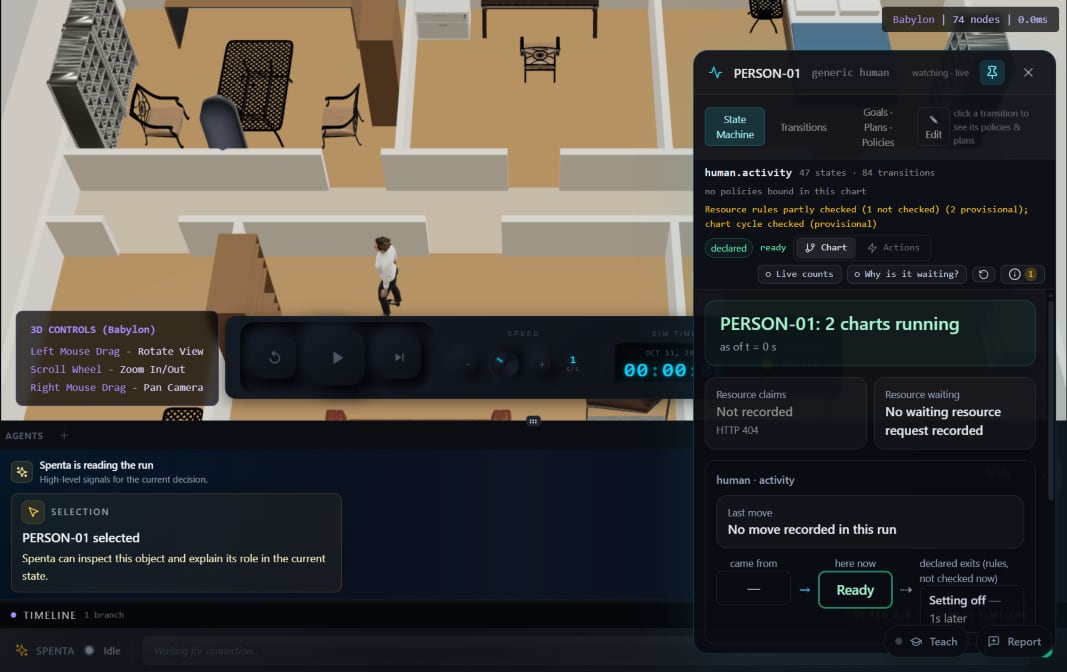
Equipment comes from a library and is set up step by step: choose, place, connect, set how it starts, check.
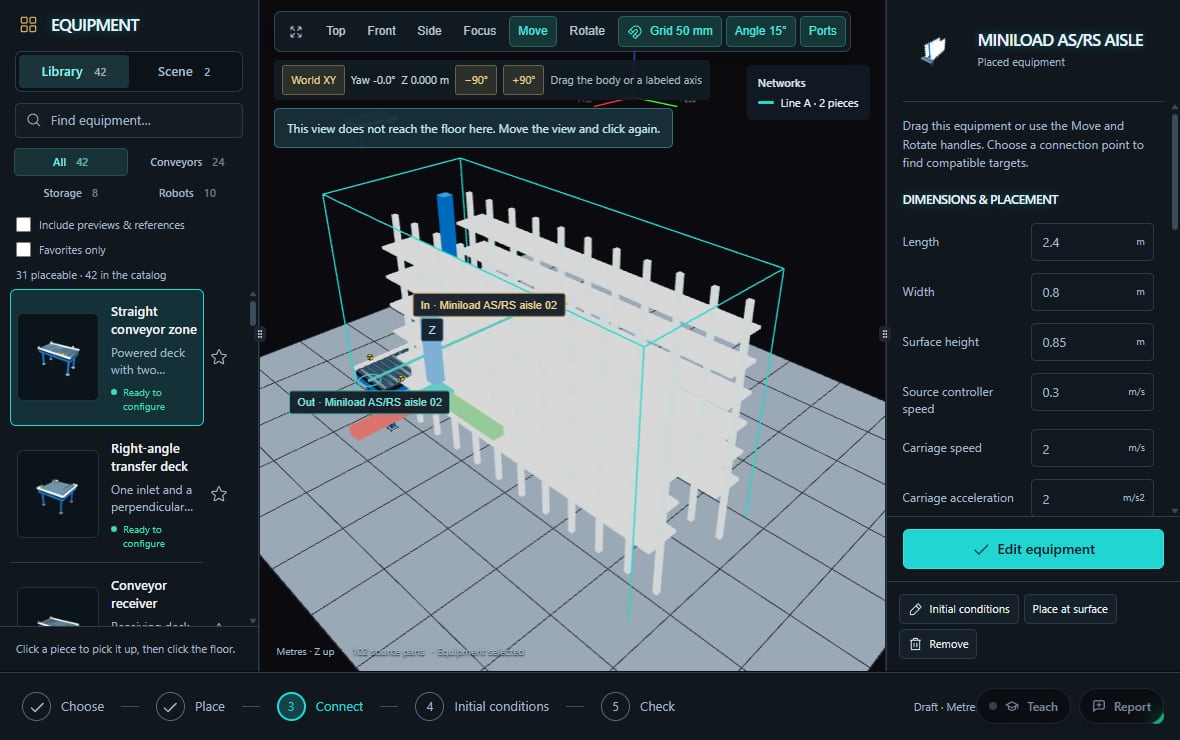
The run plays in front of you, at the pace you choose, and you can stop it at any moment.
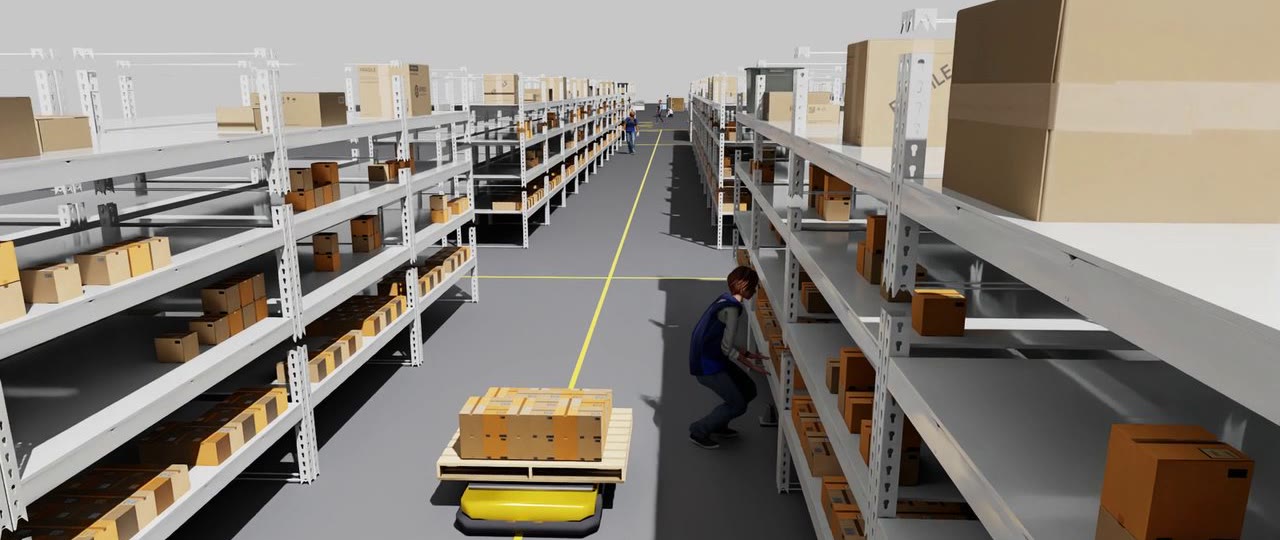
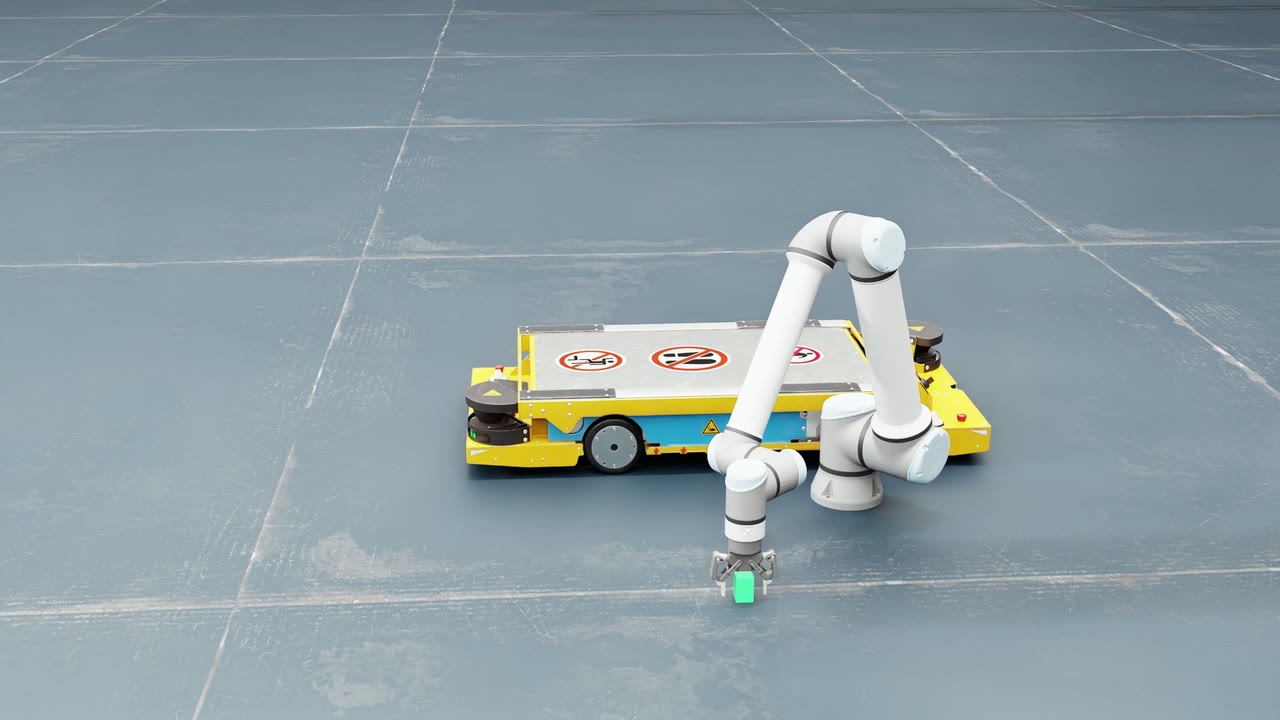
Click a robot, a person or a machine to see what it is doing, what it holds and what it can do next.
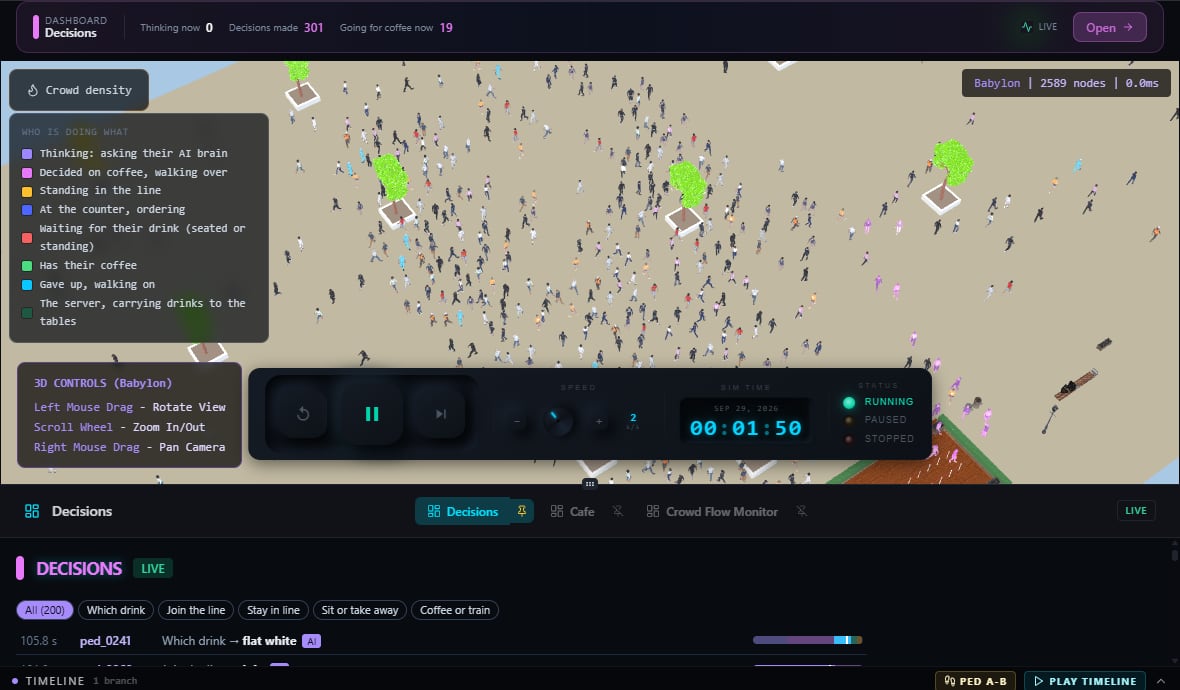
Every choice is recorded with what was known at the time, so you can always ask why.
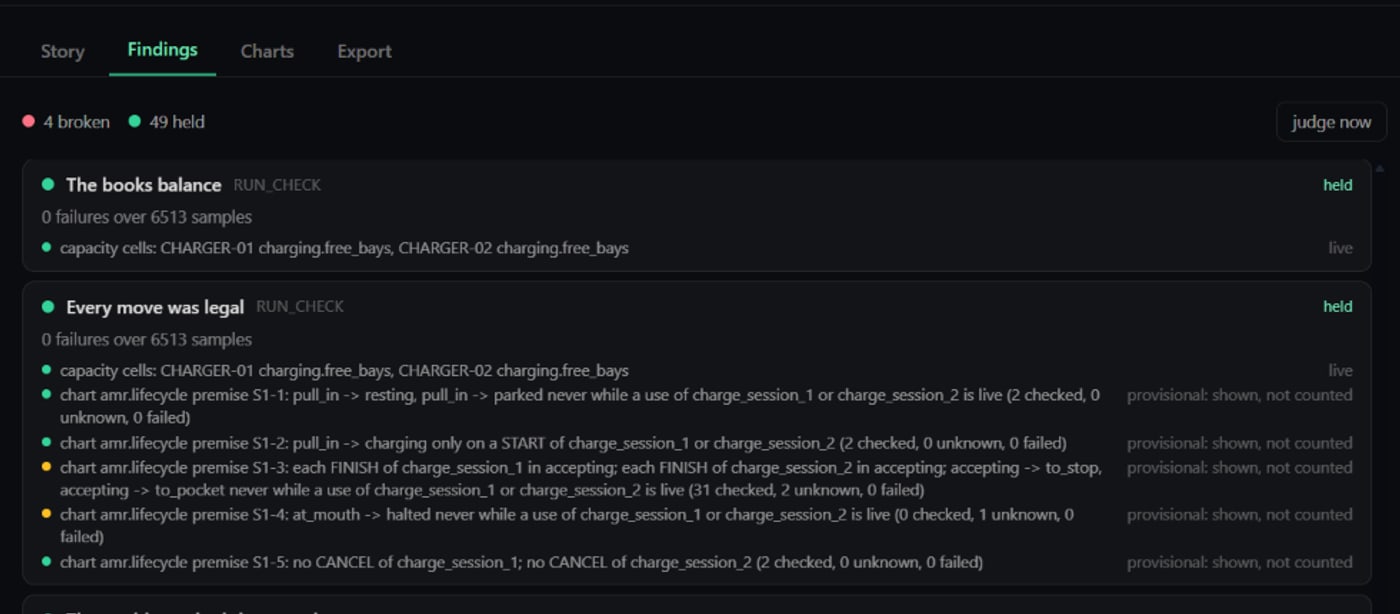
Spenta checks the run against the model's rules and shows what held and what did not.
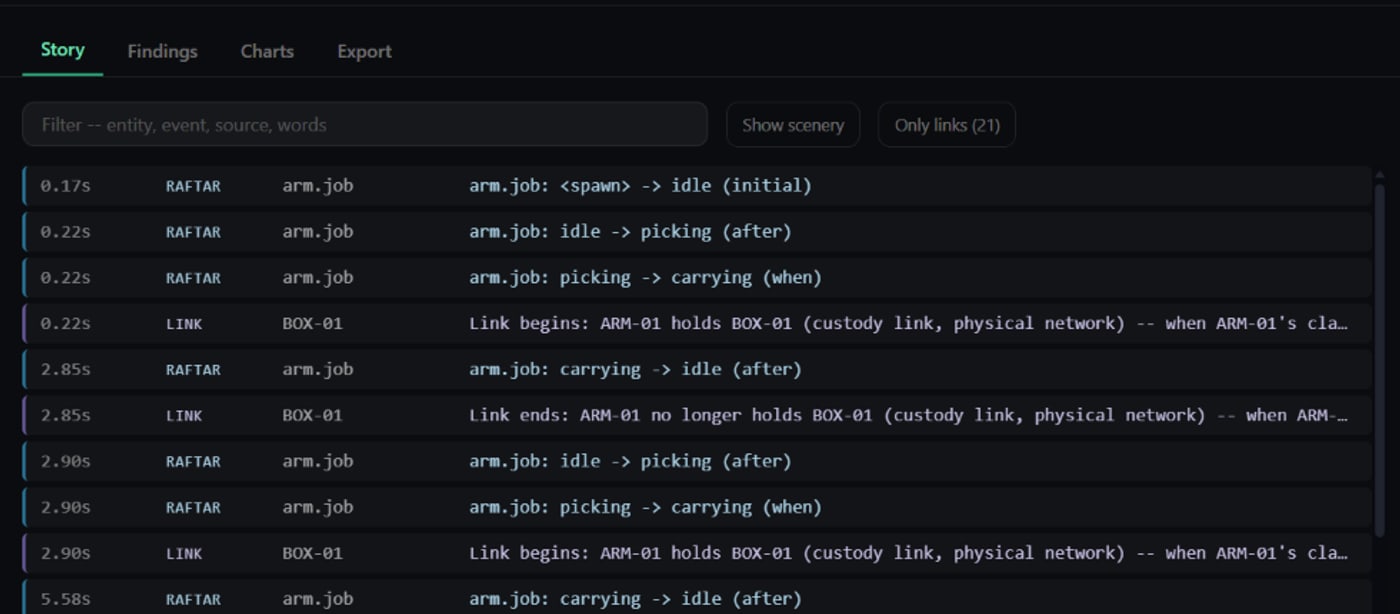
Every event is recorded in order, so any result can be traced back to what caused it.
Want the technical detail? See how the model remains inspectable and the outcome traceable.